Traditional scanners flag color contrast issues but can’t verify them when elements use positioning, opacity, gradients, or background images – leaving you with a pile of manual checks. Our AI-powered contrast checker analyzes these complex scenarios and automatically confirms approximately 80% as pass or fail, saving you hours of review time.
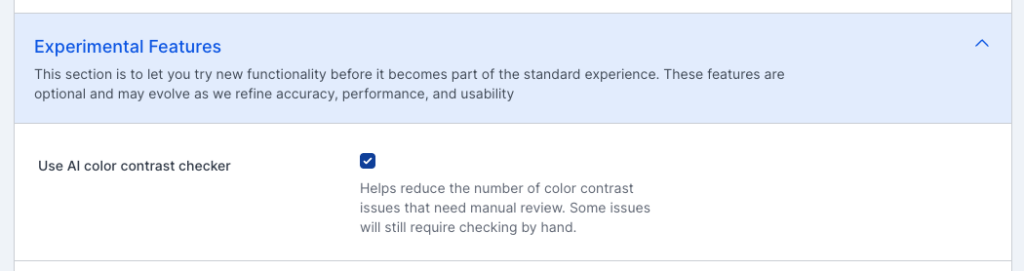
If you want to give our AI-powered color contrast checker a try, just enable it in your site settings. Available on all accounts, including free accounts. In your site settings, navigate to Experimental Features and check the “Use AI color contrast checker” box.
Screenshot of site settings showing the Experimental Features section and the "Use AI color contrast checker" checkbox.
Key AI Color Contrast Features
Handles Complex Backgrounds
Our AI analyzes elements over background images, gradients, and layered content that traditional scanners mark as “unable to determine.”
Detects Opacity and Transparency
Calculates effective contrast ratios even when elements use opacity, rgba values, or semi-transparent overlays.
Resolves Positioning Challenges
Accurately evaluates contrast for elements using absolute, relative, or fixed positioning—no more false “needs review” flags.
80% Auto-Resolution Rate
Dramatically reduce manual review time by automatically confirming the vast majority of flagged contrast issues as pass or fail.
Smarter Contrast Analysis for Accessibility Professionals
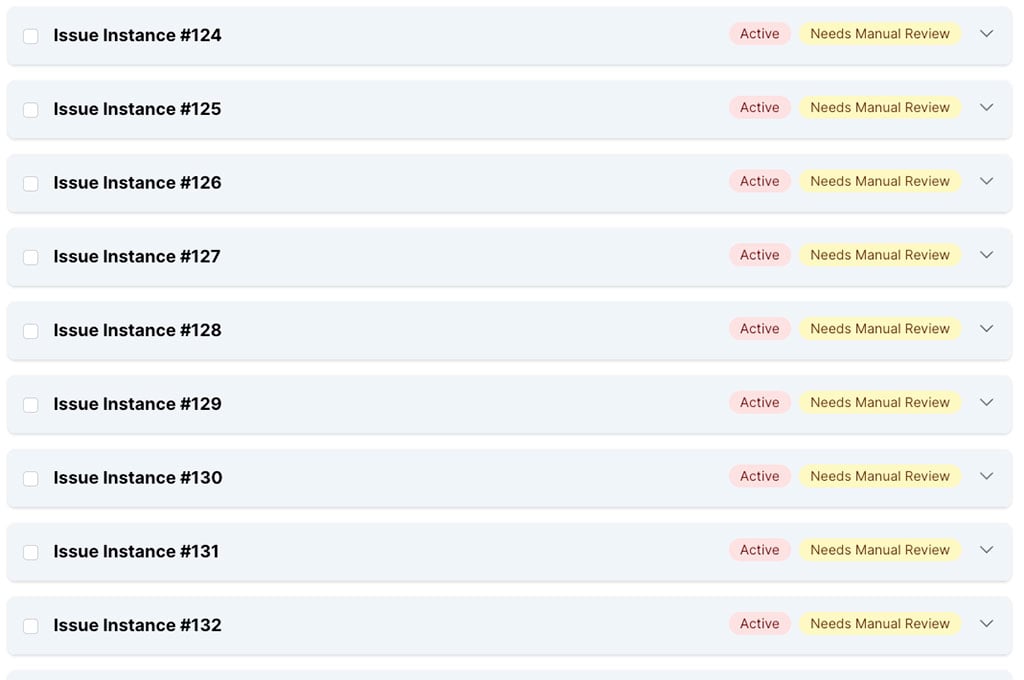
List of color contrast issues needing manual review to confirm if they are issues that need to be addressed or not.
Eliminate Manual Review Bottlenecks
Stop spending hours manually checking contrast issues that scanners couldn’t verify. Let AI do the heavy lifting so you can focus on issues that truly need human judgment.
Automatically verify contrast on complex visual layouts
See clear pass/fail results instead of "unable to determine"
Export verified results for client reports and documentation
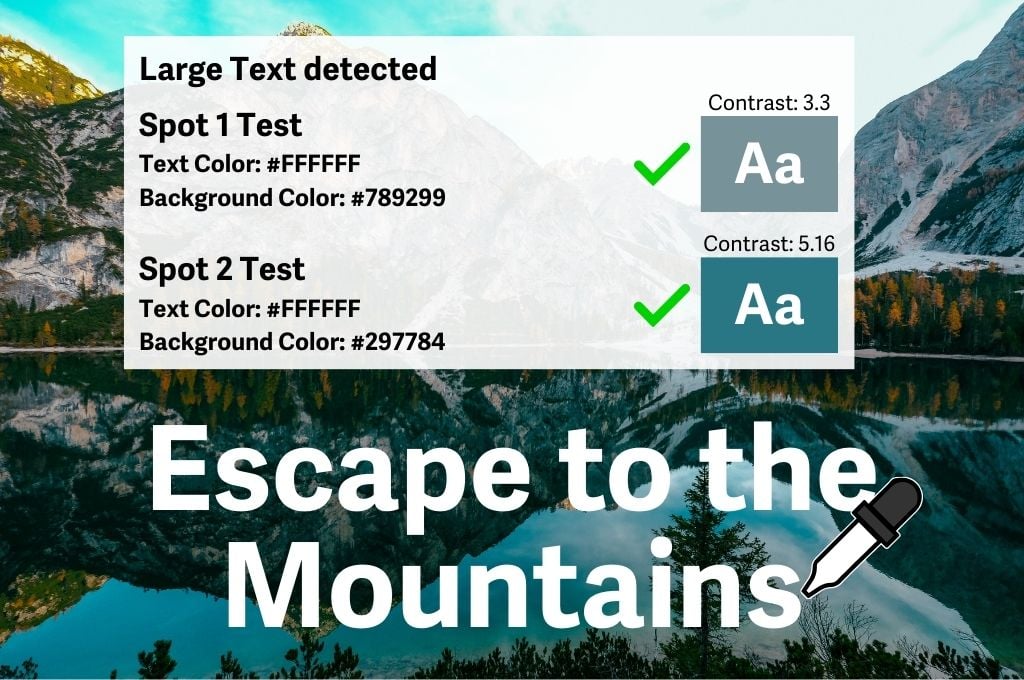
A variety of color samples are taken around the text to ensure that each letter has sufficient contrast with the background image behind it.
Understand What's Actually Happening
AAArdvark’s AI examines what users actually see on screen, accounting for real-world rendering conditions.
Analyzes rendered pixels, not just CSS values
Accounts for layered elements and stacking contexts
Handles hero images, gradients, and decorative backgrounds
Distinguishes between text and non-text contrast requirements
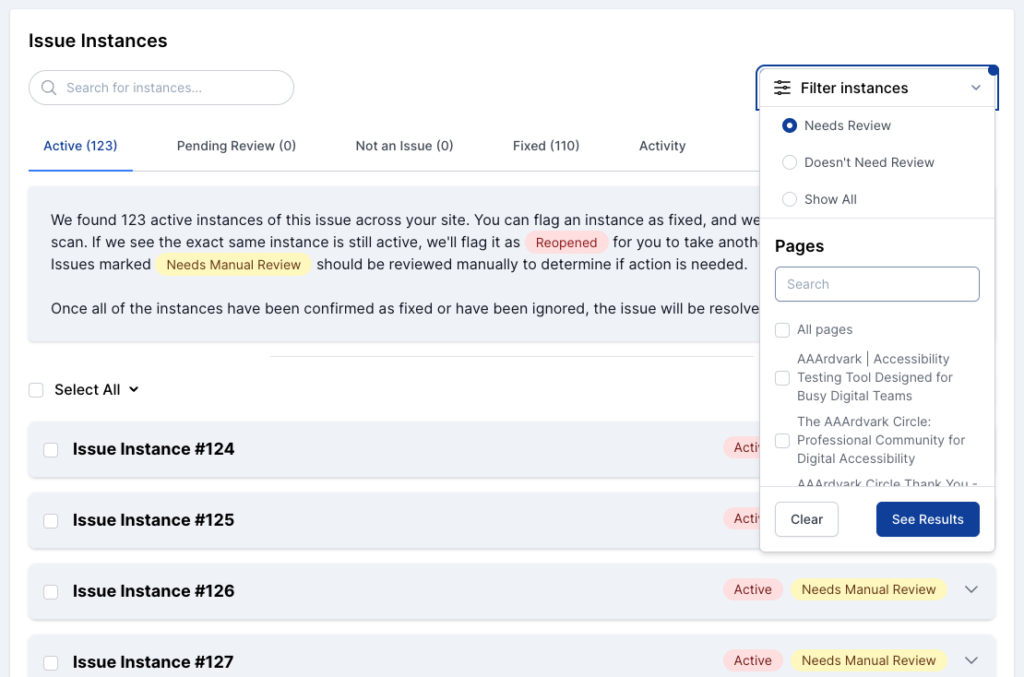
Filter instances of an issue to find just those that need manual review or to focus on those that are confirmed and ready to be fixed
Streamlined Workflow Integration
Make sense of your contrast audit results with intelligent grouping and filtering.
Filter to see only verified issues, unverified issues, or all
Group similar contrast patterns across pages
Track which issues have been resolved vs. verified as passing
Generate reports showing automated vs. manual reported issues
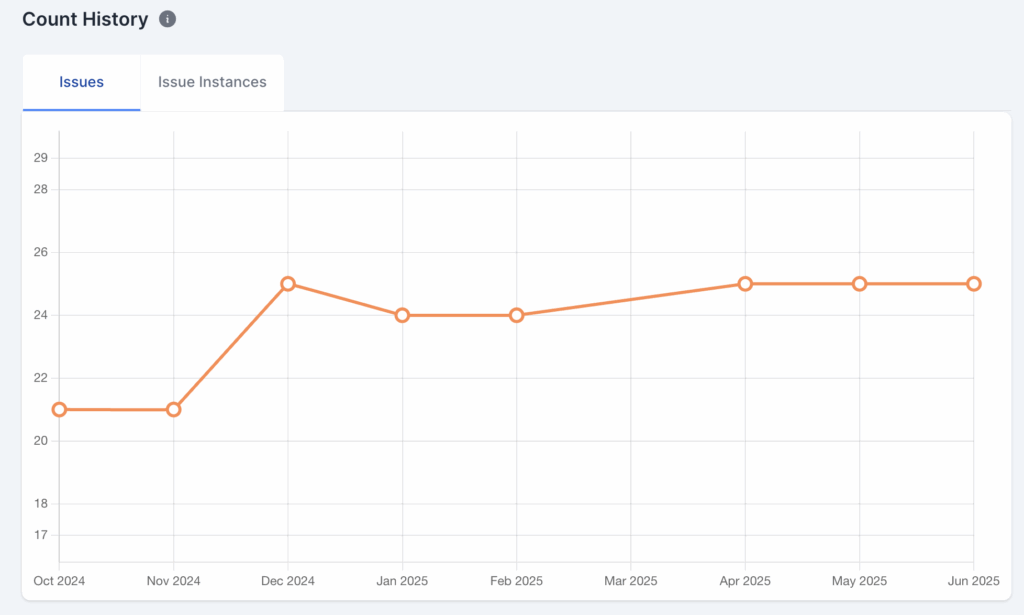
A simple line chart component that visualizes contrast issues over time
Track Your Progress
See how your site’s color contrast improves with each scan.
View historical data on contrast issues found vs. verified
Track your manual review backlog shrinking over time
Provide stakeholders with clear progress metrics
Receive notifications when new contrast issues are detected
Friendly, Human Support You Can Count On
Need help? Our expert support team is here for you!
Built by Accessibility Professionals, for Accessibility Professionals
AAArdvark isn’t another quick-fix overlay—it’s a powerful platform designed to help designers, developers, and accessibility professionals identify, track, and fix real accessibility issues efficiently. Now with AI-powered contrast checking to save you even more time.