

Best Practice Issues vs WCAG Issues
Introduction
When you scan a website with AAArdvark, the results include two types of issues:
- WCAG compliance issues: These are problems that violate the Web Content Accessibility Guidelines (WCAG). These are required fixes to meet legal and industry accessibility standards.
- Best practice issues: These are recommendations that go beyond WCAG, aimed at improving overall usability and accessibility.
This guide explains the difference between the two, why both are important, and how AAArdvark helps you identify and address them.
What is WCAG?
WCAG (Web Content Accessibility Guidelines) is a global standard for making websites accessible to people with disabilities. Meeting WCAG is often required by law, especially for government agencies, educational institutions, and organizations doing business internationally.
In the US, this is also what people mean by “ADA compliant” – the Americans with Disabilities Act doesn’t define its own technical standard, so WCAG conformance is the benchmark regulators and courts point to instead.
Having trouble understanding WCAG? Check out our WCAG in Plain English resource.
WCAG Compliance Issues
These are the must-fix issues. They indicate that your site is not meeting one or more of the WCAG Success Criteria (SC), such as:
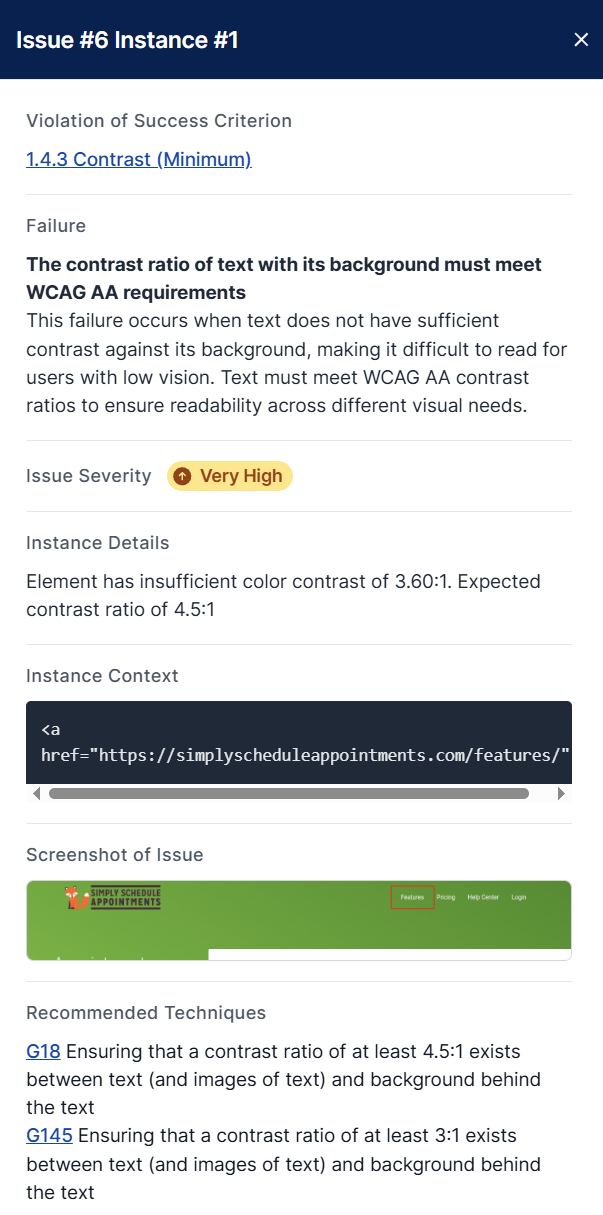
- SC 1.4.3 Contrast (Minimum): Text doesn’t have enough contrast with its background.
- SC 2.4.4 Link Purpose (In Context): Links aren’t descriptive enough for screen reader users.
- SC 3.3.1 Error Identification: Forms don’t clearly explain what went wrong when there’s an error.
In AAArdvark, each WCAG issue includes:
- The specific WCAG rule that’s being violated.
- A brief, human-friendly description of the problem.
- Recommended techniques for fixing it.
You’ll usually want to prioritize WCAG issues first. These affect compliance and may create significant barriers for users with disabilities.
Best Practice Issues
Best practices aren’t strictly required by WCAG, but they reflect common accessibility and usability improvements. These issues help you create a more inclusive and user-friendly experience for everyone.
Some examples of best practice issues AAArdvark might flag:
- No landmarks are defined on the page for easier navigation.
- Text styled in all uppercase.
- Ambiguous date formats.
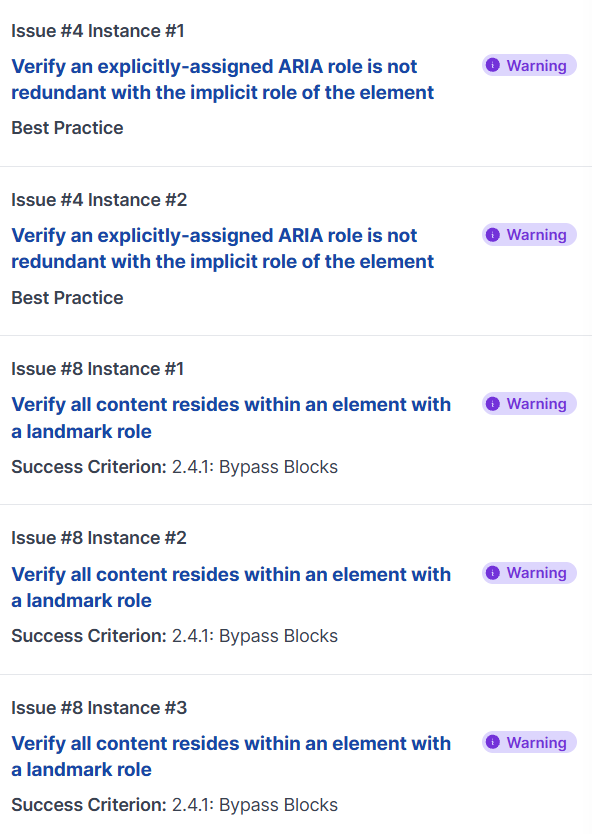
These are labeled as Warnings or Low Priority items in your scan results. While they won’t cause you to fail an audit, addressing them can improve everyone’s experience of using your website.
Fixing best practice issues is a great way to go from just “passing” an audit to creating a site that truly works well for all users.
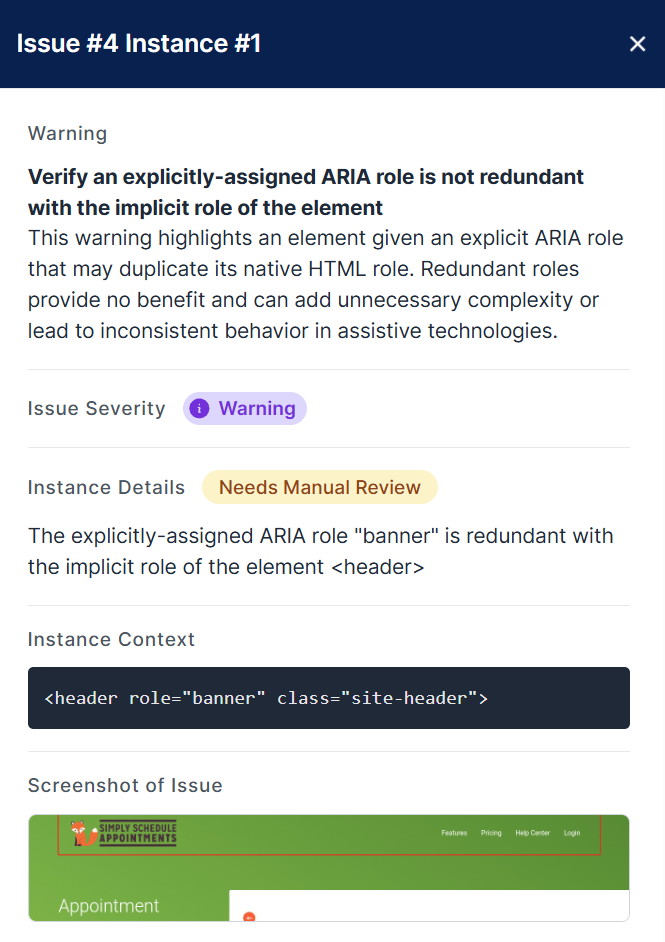
For example, AAArdvark flags a <header> that also has role="banner". The header already has that role built in, so the extra one is redundant. That’s not a WCAG failure, but it’s still flagged as a best practice issue.
What Should You Fix First?
We recommend starting with any WCAG Compliance Issues, since those are required for accessibility conformance. Once those issues are resolved, review the Best Practice Issues, especially those related to navigation, forms, and other user-critical tasks.
Every fix you make strengthens your site’s accessibility and usability. Whether you’re working toward compliance or building a better experience, AAArdvark helps you stay on track.
Having trouble understanding WCAG? Check out our WCAG in Plain English resource.