

Detecting and Editing Page Titles
Detecting and Editing Page Titles
Introduction
AAArdvark automatically detects and displays page titles for the added pages on AAArdvark. This guide explains how to view and edit these titles.
Viewing Page Titles
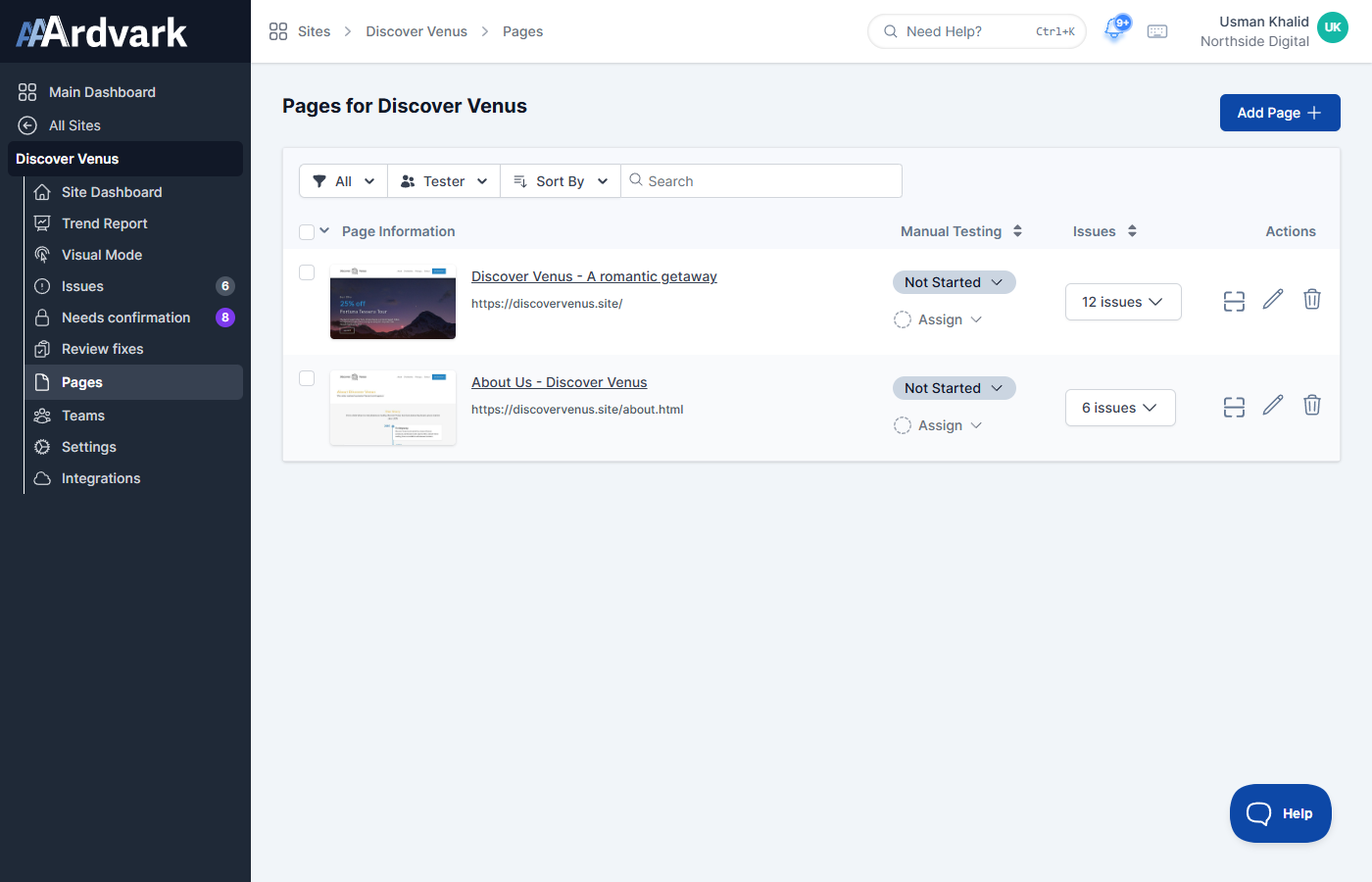
Within the Pages tab, the Page Information column shows the page name and URL for each page, alongside its Manual Testing status and Issues count.
The page name is used across the Site Dashboard, including the Issues listing, Visual Mode, and Page Filters.
Editing a Page Title
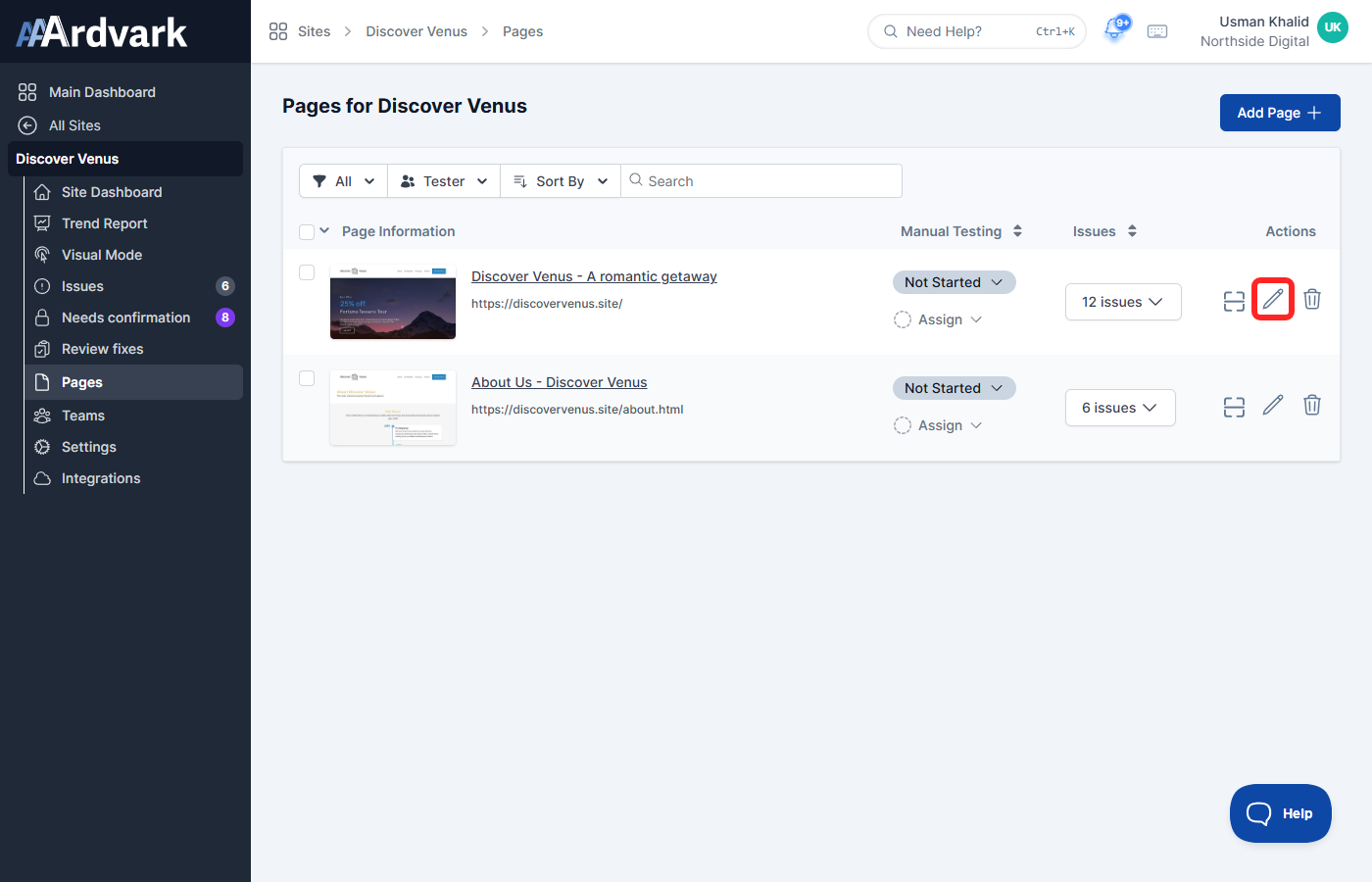
- Locate the page you want to rename in the Pages tab.
- In the Actions column, click the pencil (Edit Page) icon for that page. This opens the Edit Page screen.

Click the pencil icon in the Actions column to open the Edit Page screen. - Find the Page name (optional) field and update the text.
- Click Update to save your changes.
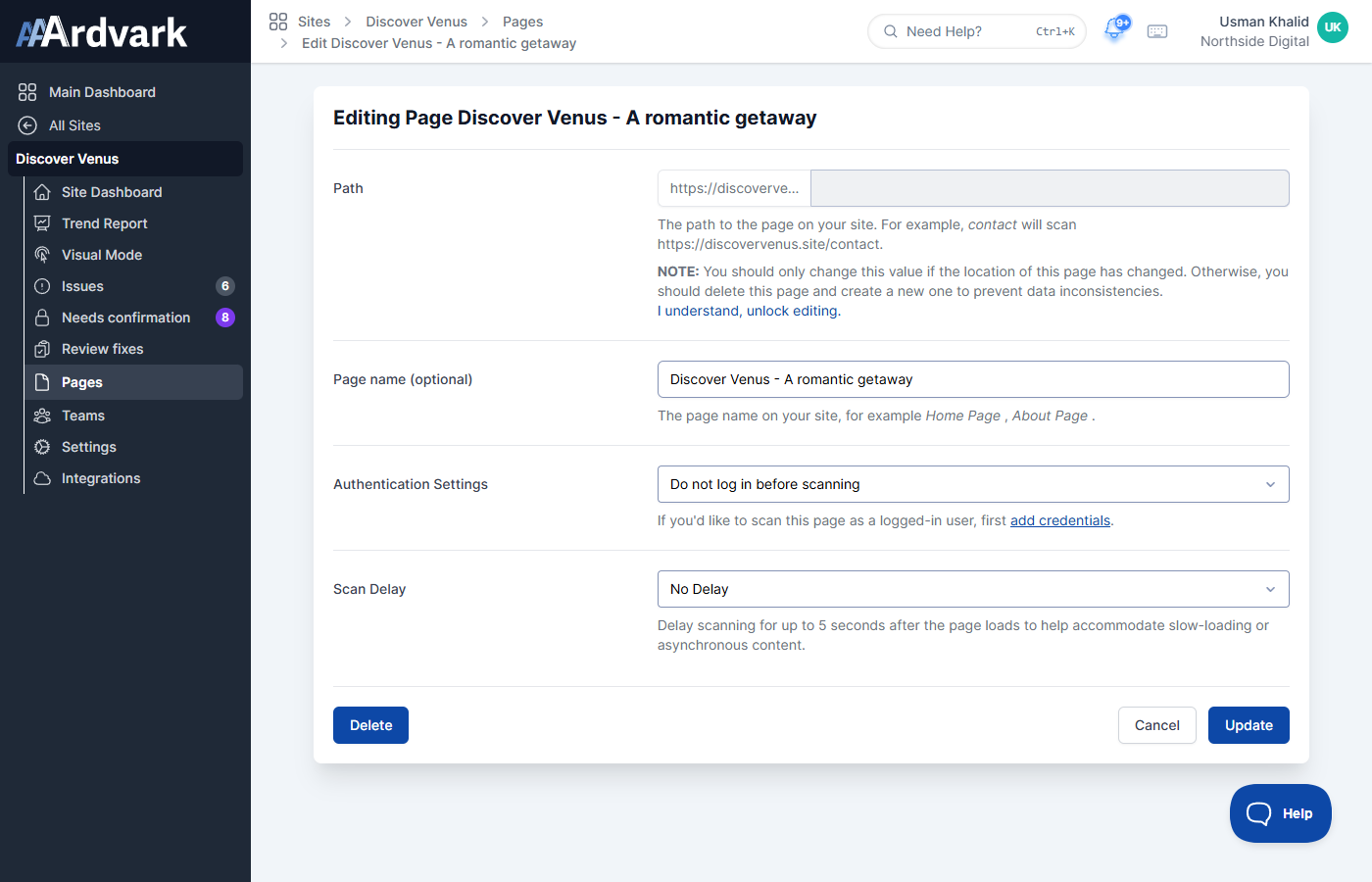
Once updated, the new page name is displayed under the Pages section on the Site Dashboard.