
Cancellation & Account Deletion
Introduction
Looking to cancel my subscription? If you need to cancel your AAArdvark subscription (and delete your workspace), this guide walks you through your options and what to expect.
Only the Workspace Owner can cancel or make changes to a workspace plan.
How to Cancel Your Workspace
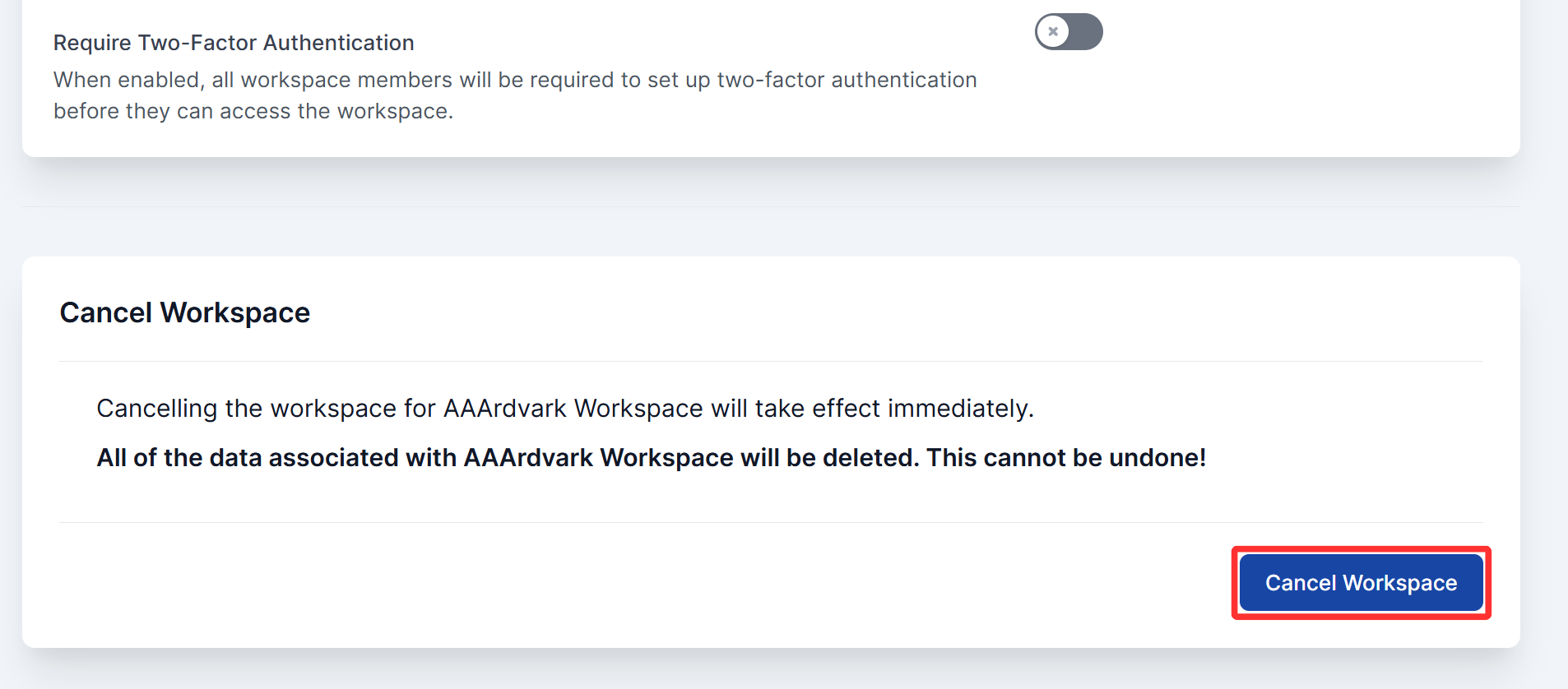
To cancel, go to Manage Workspace > Workspace Settings (click your name in the top-right corner to access this). Scroll down to the Cancel Workspace section and click the Cancel Workspace button.
A confirmation dialog will appear. You can optionally share your reason for canceling, then type your account password to confirm and click Cancel Workspace Now.
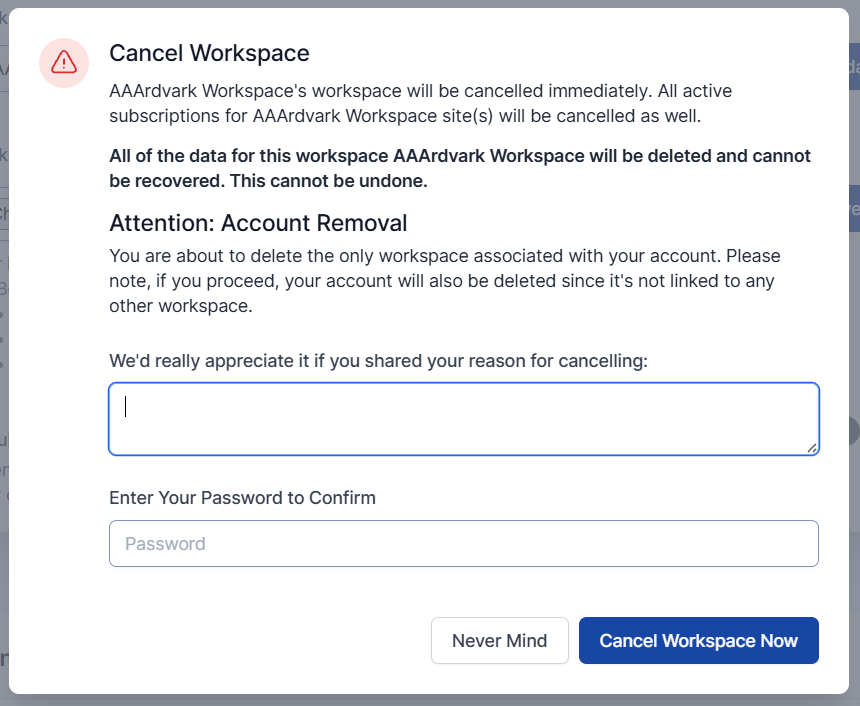
Cancellation takes effect immediately. All active sites under that workspace will be removed at the same time, and all workspace data will be deleted right away.
If this is the only workspace linked to your account, your account will also be deleted when you cancel.
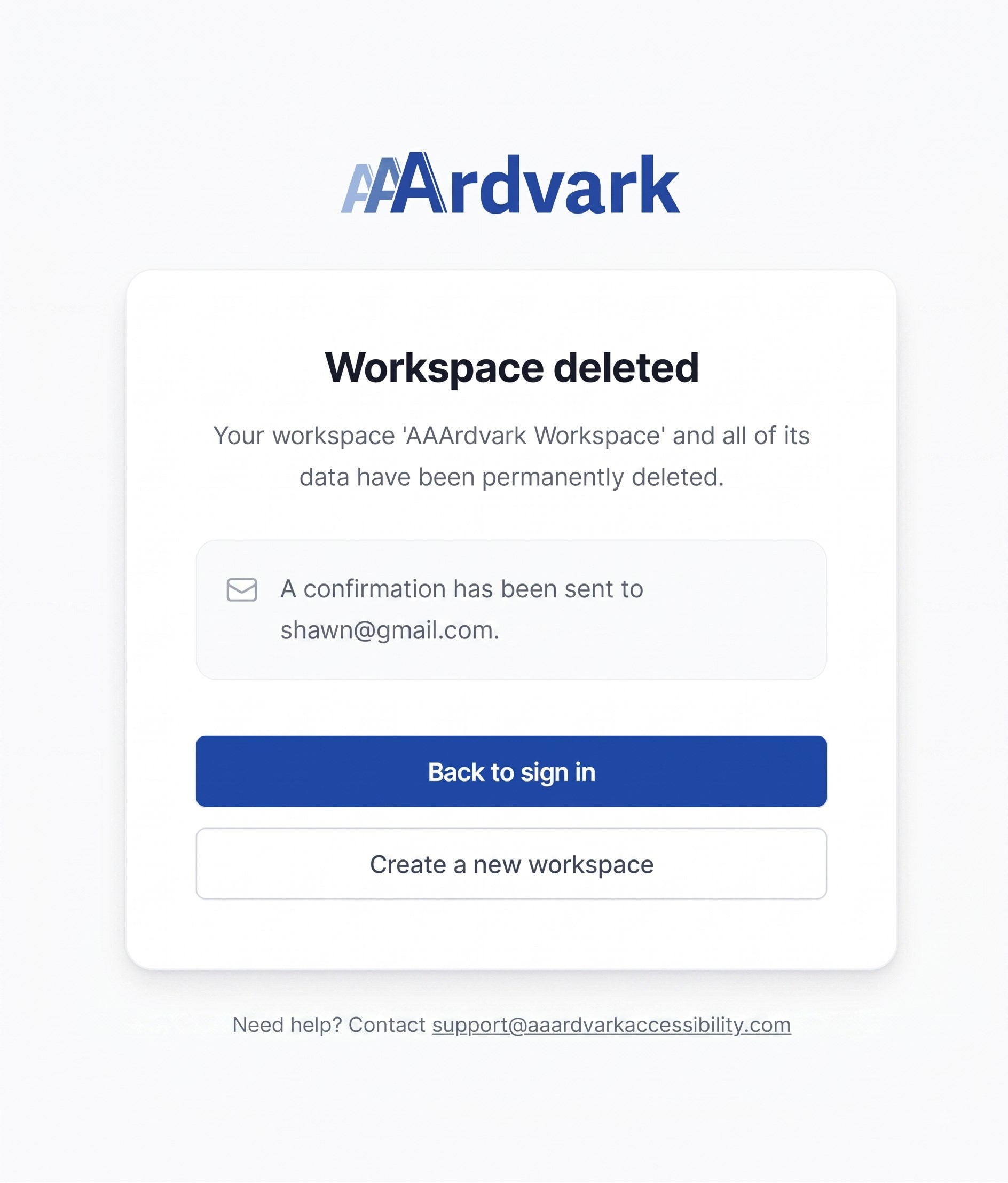
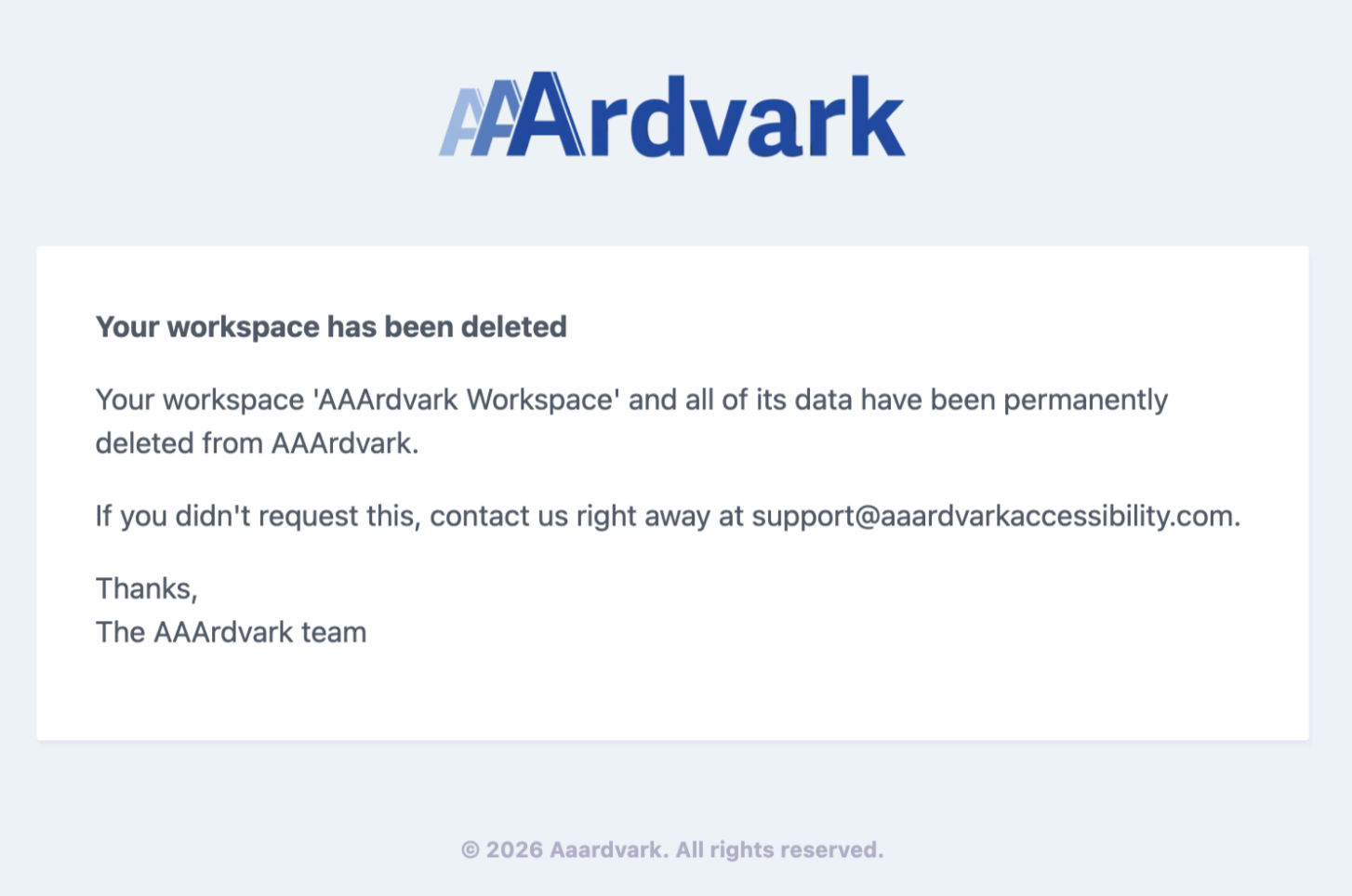
Once the deletion completes, you’ll see a confirmation page letting you know your workspace and its data have been permanently deleted. You’ll also get a confirmation email at your registered email address.
What Happens to Your Data After Cancellation
This is the most important thing to know before you cancel: all of your workspace data will be permanently deleted and cannot be recovered.
If you cancel and later sign up again, you’ll be starting from scratch – your previous sites, scans, issues, and history will not be there.
If you want to keep a record of your findings before canceling, download a PDF and XLSX report from the Site Dashboard first. See the Reporting guide for instructions.
Is There a Way to Pause Instead?
AAArdvark doesn’t currently have a pause or suspend option. The subscription runs continuously until you cancel.
If you only need a short break from a paid plan, the better option is usually to leave the workspace as-is rather than cancel. Your sites keep being monitored and all your data stays intact for when you’re ready to pick things back up.
This doesn’t apply to free workspaces. A free workspace that sits completely unused winds down on a schedule, so sign in every so often to keep it active. See Automatic Deletion of Inactive Free Workspaces below.
Automatic Deletion of Inactive Free Workspaces
A free workspace counts as inactive when nobody signs in, runs a manual scan, or makes a request through the API (which includes the WordPress plugin and browser extension). If that goes on for a long time, the workspace winds down on this schedule:
| Time inactive | What happens |
|---|---|
| 3 months | Scheduled scans stop, and the Workspace Owner gets an email. |
| 6 months | The site’s pages, issues, scans, and related data are removed. The site itself and its settings stay, so you can re-add pages and pick up where you left off. |
| 3 years | The workspace is deleted. The Workspace Owner gets a final-notice email 60 days beforehand. On deletion you see the same confirmation page and email described under How to Cancel Your Workspace above, and any account that belongs to no other workspace is removed along with it. |
Any activity resets the clock at any point, though it won’t bring back data that has already been removed. Paid workspaces are never affected. See also the Plans and Pricing FAQ.
Refunds
AAArdvark does not offer refunds. Cancellation takes effect immediately, and no credit is issued for any remaining time on your plan.